
Transcribe
Words & names
Help recognition with vocabulary hints and correct recurring spellings automatically.
In the appSettings → Transcription
On this page
Give recognition a hint
Under Settings → Transcription → Vocabulary, enter names, product spellings, and specialist terms separated by commas. For example: Kubernetes, ClickHouse, Svenja, Michele.
Vocabulary guides compatible speech engines toward your preferred words and spellings. Parakeet and Nemotron handle recognition without vocabulary hints, so this control is hidden while either is selected. Saved corrections still apply after transcription.
With a cloud transcription engine, vocabulary is sent to that provider along with the recording. Use Corrections when you want a specific replacement after recognition.
Save a correction
- Dictate the word and check the spelling the engine actually produced.
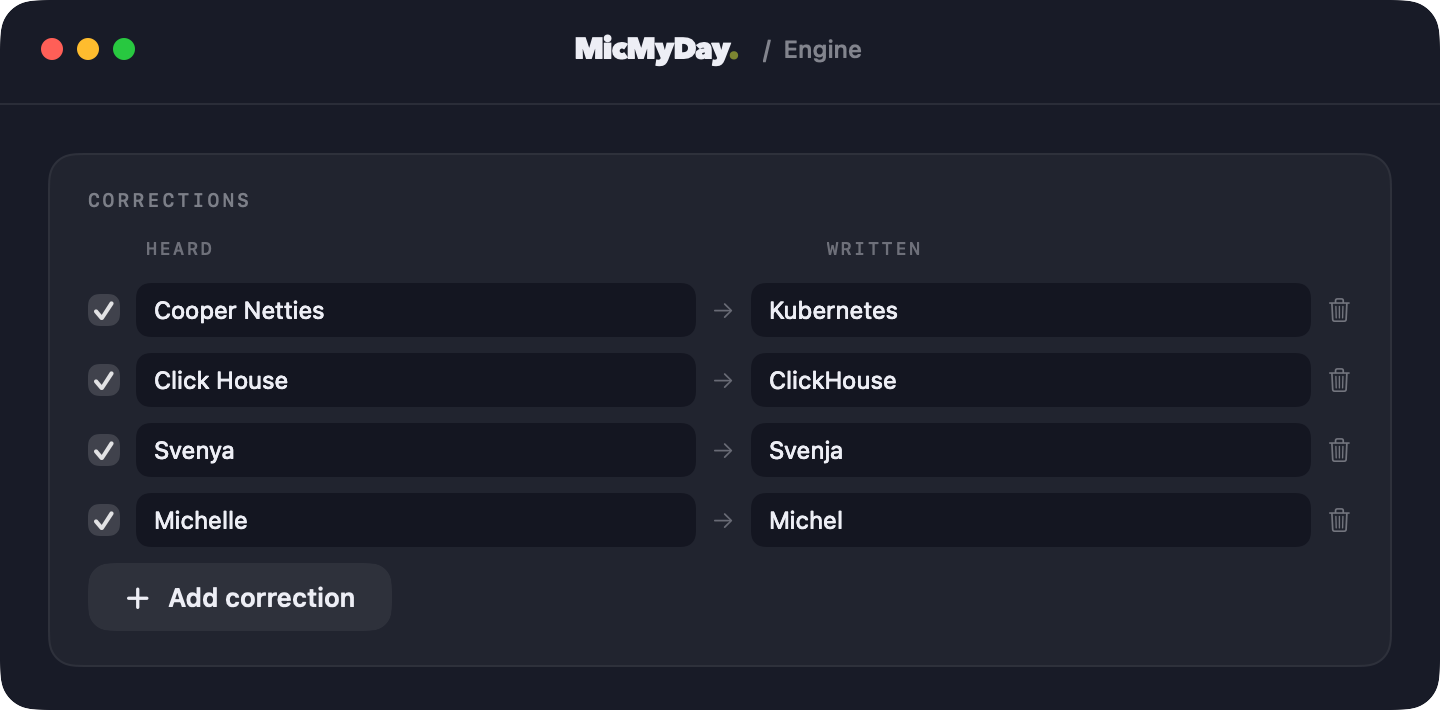
- Open Settings → Transcription → Corrections and choose Add correction.
- Enter that spelling in Heard and your preferred spelling in Written.
- Keep the checkbox on. Uncheck it to pause the rule, or use the trash button to remove it.
| Heard | Written |
|---|---|
| Cooper Netties | Kubernetes |
| Click House | ClickHouse |
| Svenya | Svenja |
| Michelle | Michele |
Corrections apply wherever the Heard text matches. Use a more specific phrase when you need to distinguish between similar names.
How matching works
Corrections match whole words or phrases, ignoring capitalization and accents. Longer matching phrases take priority. A replacement is not processed again, so one correction does not trigger another correction in a chain.
They run locally after transcription and filler removal. They work with any transcription engine, including one that does not support vocabulary hints, and still run when rewriting is off or No rewrite is selected. See Raw transcription to disable every post-transcription change.
Expand a phrase into a snippet
The replacement can be longer than what you say. For example, my sign off can become Best regards, Peter, or a private abbreviation can expand to its full project name.
Choose a distinctive phrase you would not otherwise dictate. Test it in a sentence to make sure it expands where you expect.
Keep names through rewriting
Corrections prepare the transcript before rewriting. To keep names, product spellings, or abbreviations unchanged in a rewrite or translation, include those spellings and a preservation instruction in your profile. Vocabulary hints apply to transcription; the profile guides the rewrite.
Remove hesitation words separately
Remove filler words has its own list and switch. It is enabled by default and runs before corrections. See Filler words to edit it, especially if you dictate in more than one language.