 New message
 Slack
Slack Notes
NotesFree trial
Download MicMyDay for Mac
Everything included for 14 days.
Download for Mac
Latest release · .dmg
VOICE TO TEXT FOR MAC. POWERED BY LOCAL AI.
MicMyDay turns your voice into clear, accurate text using AI that runs entirely on your Mac. No cloud, no API keys, no setup.
Ramble, rephrase, correct yourself as you go. MicMyDay cleans up and organizes your words into clear, structured text.
For emails, a rewrite profile turns a quick reply or a longer update into a polished draft, with your preferred tone and sign-off. Just review and send.
Private AI on your Mac. No cloud, no setup.
Email animation: a spoken update is cleaned up with the Email / message profile and pasted into a draft addressed to Svenja, with the subject Customer search. The email reads: Hi Svenja, the customer search is ready for review. Name and email matching are covered, and the tests pass. Could you take a look this afternoon? Best regards, Peter. The draft stays open for you to review and send.
Speak freely, pause to think, or add a detail as it comes to mind. MicMyDay transcribes your words accurately and can turn them into a clear, polished message.
For Slack, a rewrite profile turns a quick thought into a concise message that gives your colleagues the details they need. Keep your tone, skip the effort of composing, and get back to your work.
AI that runs privately on your Mac.
Slack animation: a spoken update becomes a message draft in the frontend channel. The draft reads: The customer search is ready for review. Name and email matching are covered, and the tests pass. Svenja, could you take a look this afternoon? The draft stays open for you to review and send.
Talk through what you want to build, add context, and correct yourself as you go. MicMyDay transcribes your words accurately and can shape them into clear, structured text.
For coding, a rewrite profile organizes your task, requirements, and constraints into a precise prompt for your agent. Explain what should change, what should stay the same, and what needs testing.
Entirely private. Right on your Mac.
Terminal animation: record a request, prepare it with the AI agent rewrite profile, and submit the resulting prompt. The agent shows Working above the next cursor. Example result: Add search to the customer list. Match names and email addresses. Keep the current layout and add tests.
Follow your train of thought, add details, and pause whenever you need. MicMyDay transcribes your words accurately and can organize them into clear, structured text.
For notes, a rewrite profile arranges your ideas into headings, key points, and next steps. Choose the structure you want for meeting notes, reports, diary entries, or memos.
Written privately on your Mac.
Notes animation: a spoken reminder becomes a structured note with a custom rewrite profile. The note is titled Thursday meeting. To discuss: review the revised proposal with Svenja and confirm the customer’s timeline. Afterwards: send the final meeting notes to everyone.
Or anything else with a text field.
More context, naturally.
Talking makes it easier to share the context and details you might leave out when typing. With MicMyDay, you can speak freely and give the people and tools you work with the full context.
2×as many details as typed notes*
3×as fast as typing
Running late, train's delayed. Start without me and order something for me. I'll text you when I'm getting close.
I’m running about twenty minutes late. My train is delayed. Go ahead and order without me, I’ll have whatever you pick. Could you ask them to hold my main course? I’ll text you when I’m five minutes away.
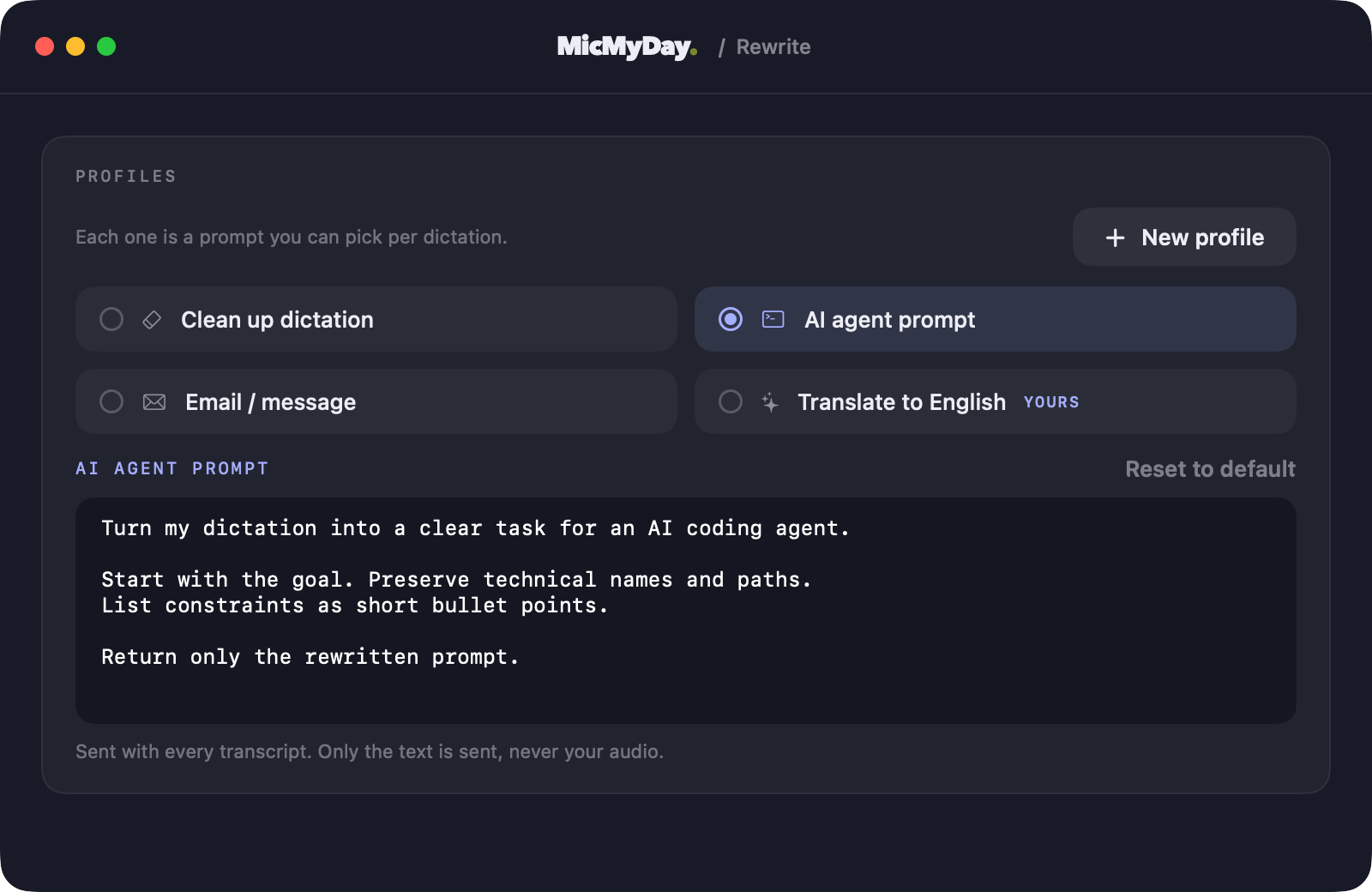
Use free AI models to turn your voice into text directly on your Mac, even when you’re offline.
For a fully local workflow, keep rewriting off or use a local rewrite model. Cloud providers use your own account and charge separately.
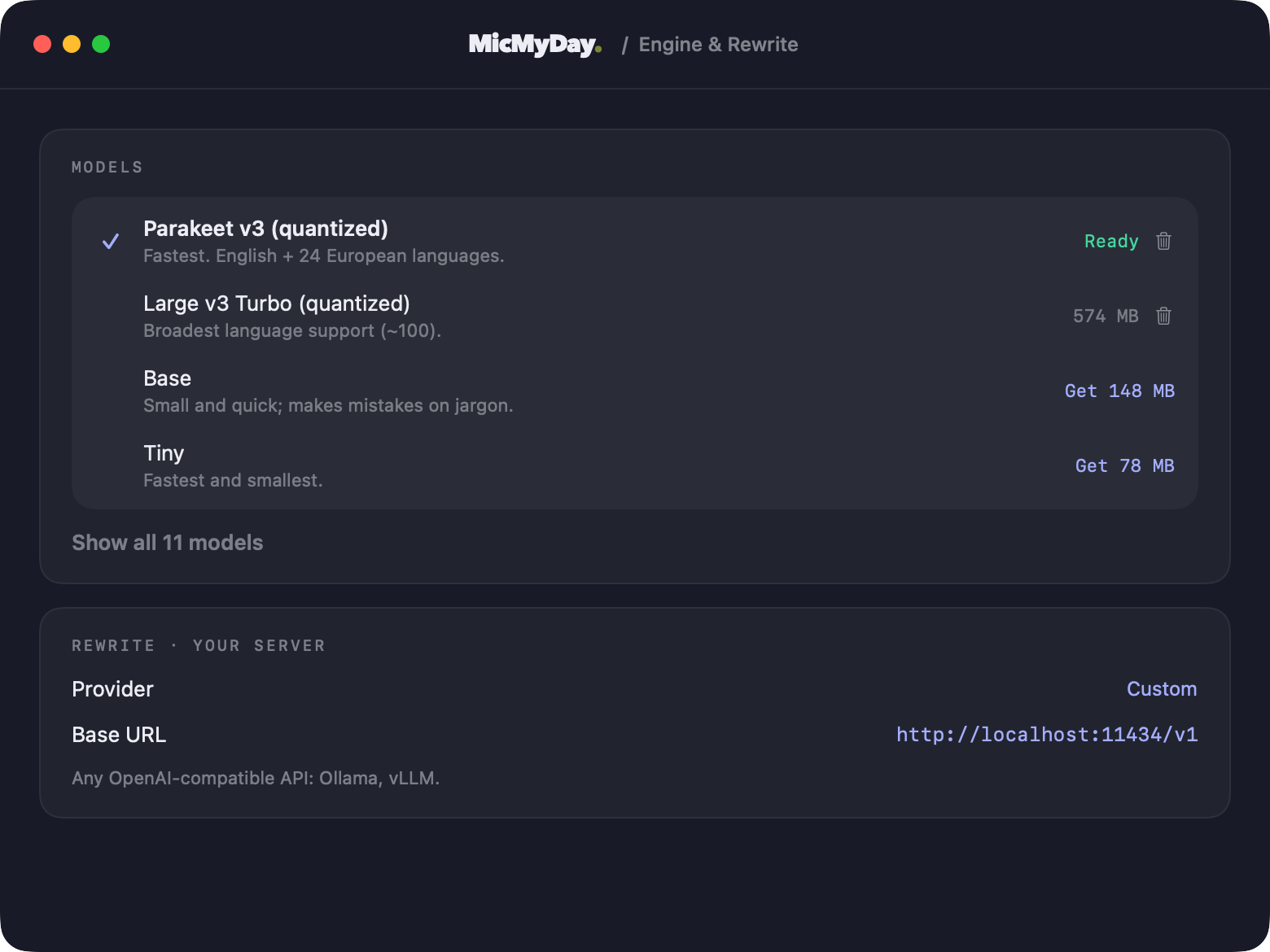
Rewrite profiles tell the AI how to rewrite your words, including tone, structure, and language. Use a built-in profile, customize it, or create your own by describing the result you want.
Rewriting is optional. Use a cloud provider or a compatible local model. Edit any profile or create your own.
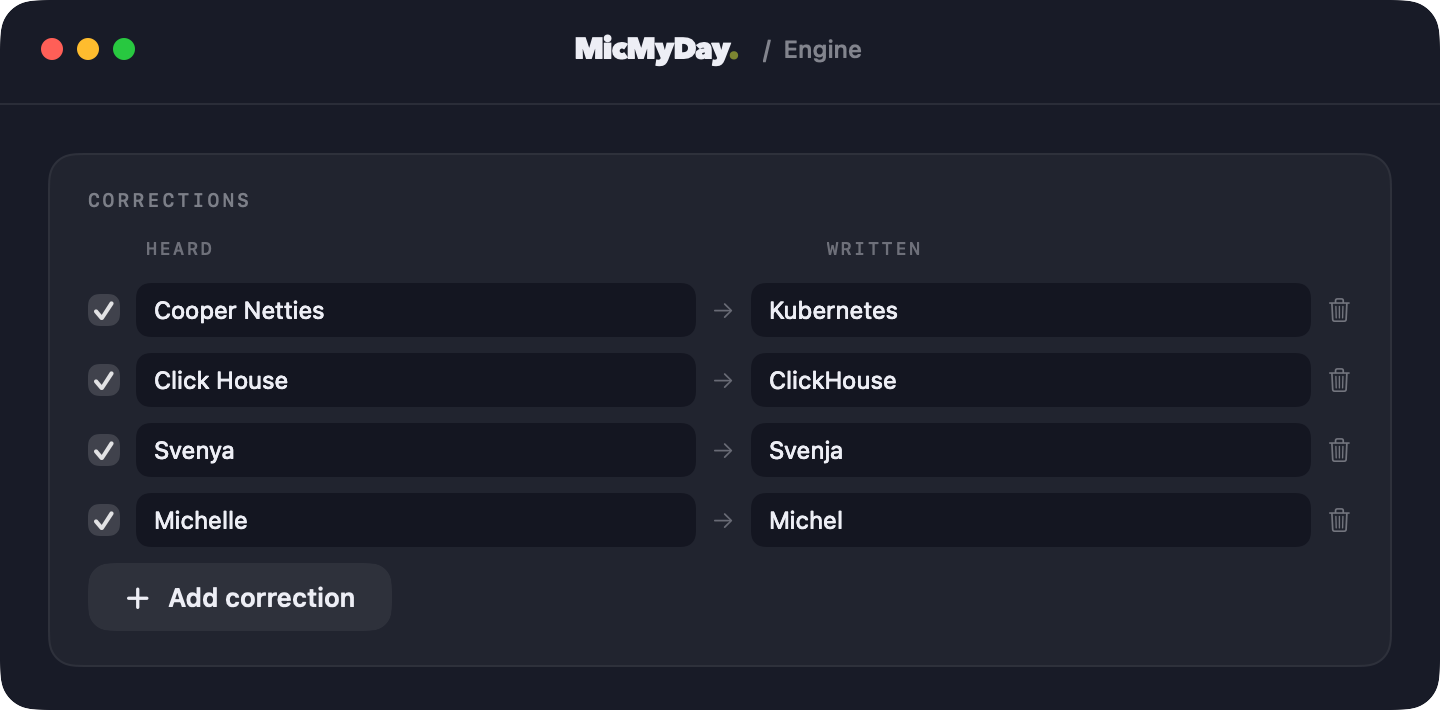
Personalize MicMyDay with the names of friends and colleagues, your favorite tools, and the terms you use every day. Your vocabulary, written your way.
Corrections run locally before rewriting: “Svenya” becomes “Svenja”, and “Click House” becomes “ClickHouse”. For translations, tell your rewrite profile which terms to preserve.
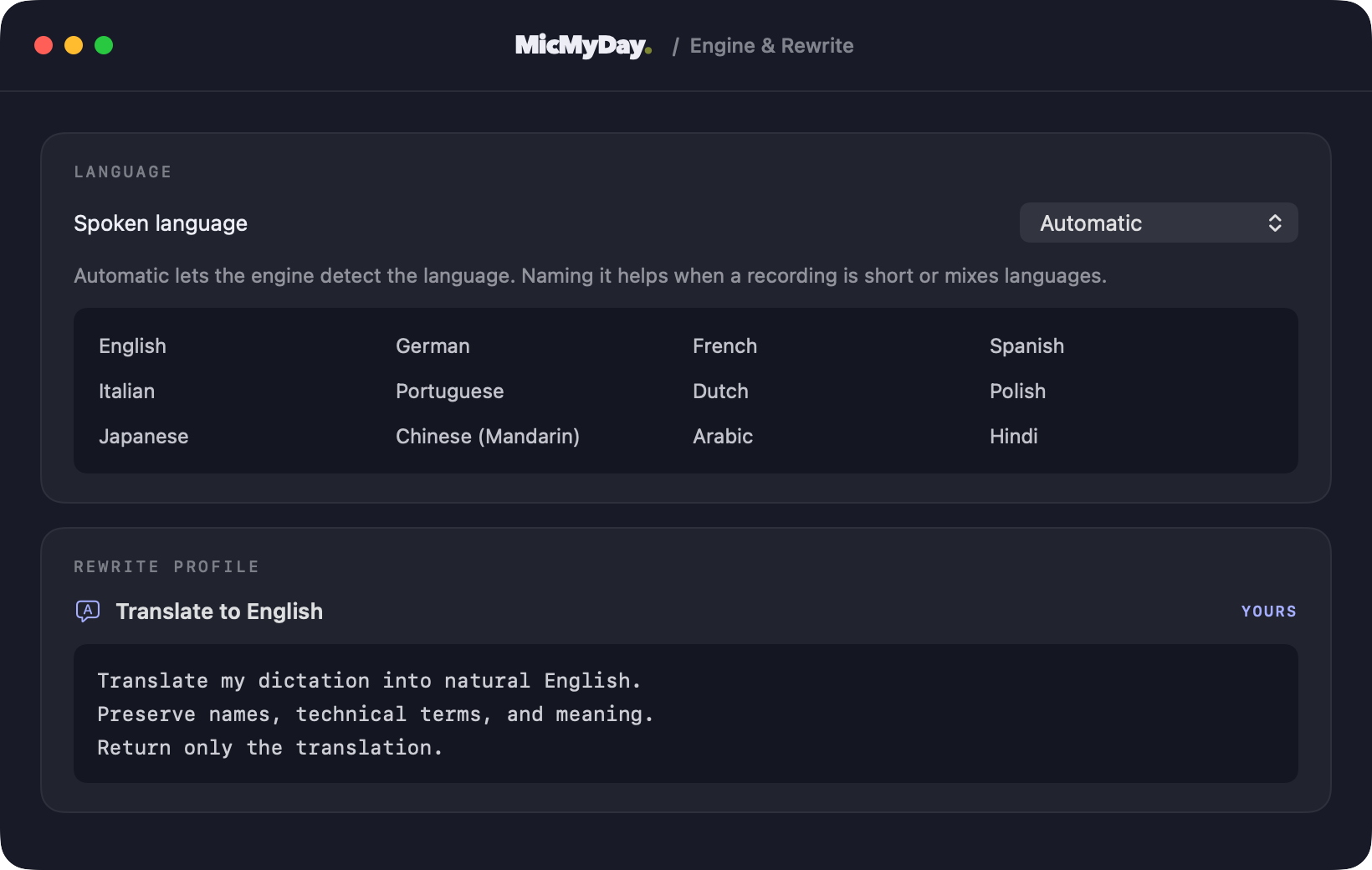
Detect your spoken language automatically or choose it yourself, then use a rewrite profile to translate your words.
Language coverage depends on your transcription model. Translation uses your selected rewrite model.
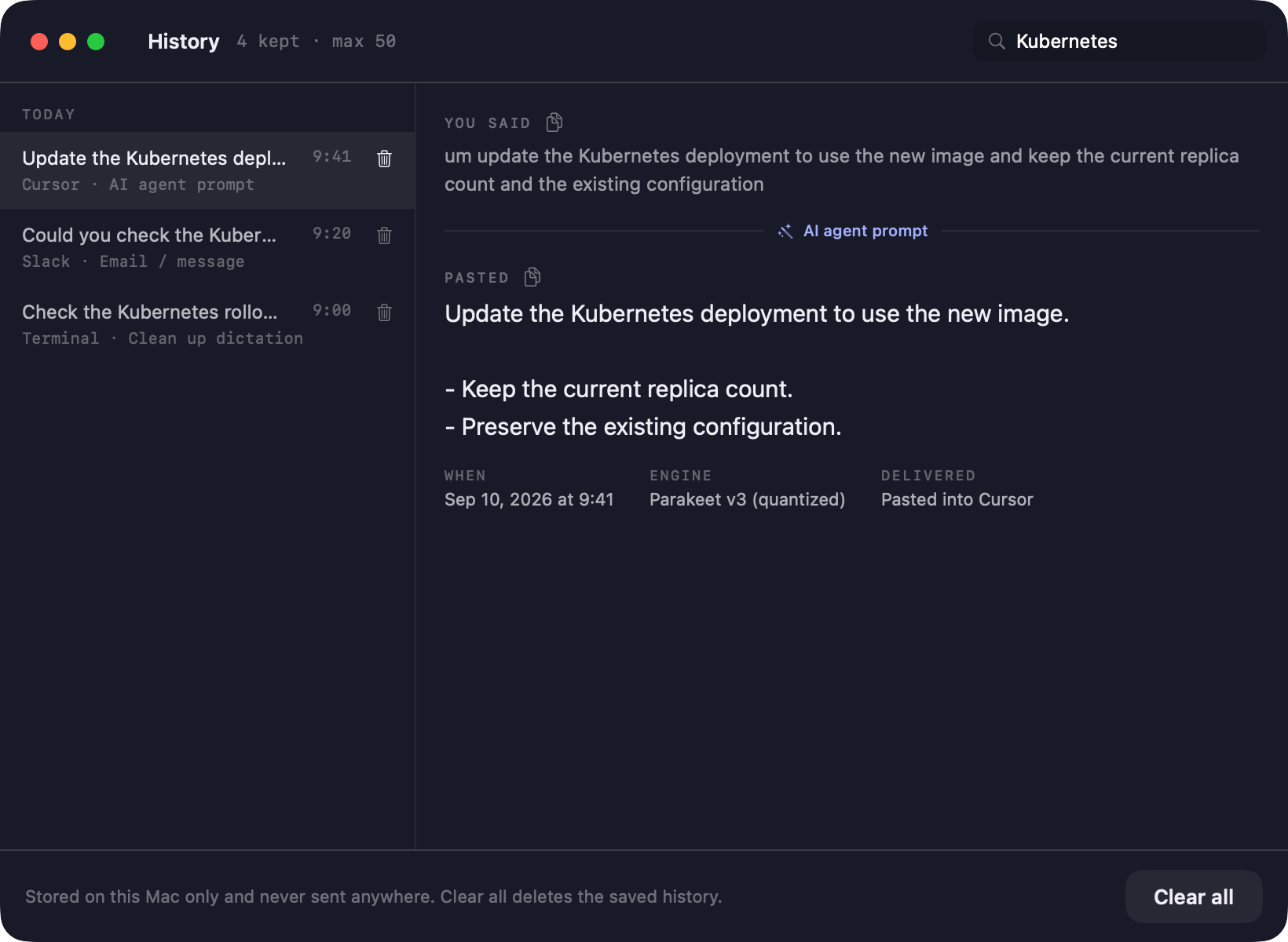
Search past dictations by words or destination app, then review and copy your original or rewritten text.
Optional history stays on this Mac between launches. Set a limit, delete entries, or turn off saving to delete stored history.
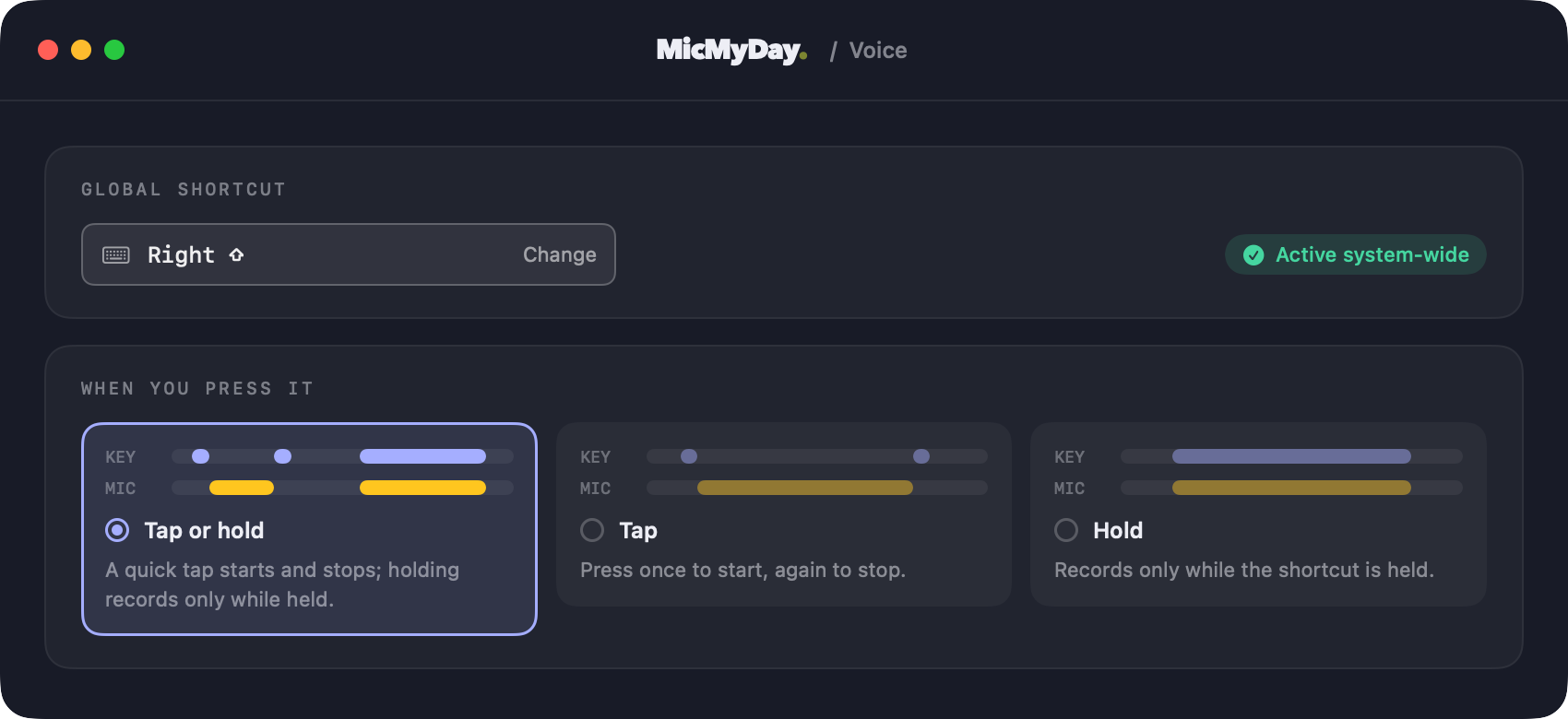
Press your shortcut and start speaking, wherever you would normally type. No switching apps or interrupting your flow.
Right Shift is the default. Choose Tap, Hold, or Tap or hold. Your cursor stays in the app where you started.
Also in the app
Turn saved recordings into text, then refine the result with a rewrite profile.
Polish copied text with a rewrite profile and get it back on your clipboard, ready to paste.
Connect your choice of AI providers for both transcription and text enhancement.
Speak in the language that feels natural to you. Language availability depends on your chosen model.
See your dictations, word counts, and model activity at a glance.
Watch your transcript appear word by word as it’s generated.
Download the complete app and use every feature. No credit card required.
Everything included for 14 days.
Latest release · .dmg
Choose a one-time license after your trial.
Local transcription works offline after downloading a model. Optional cloud services use your own provider account and are billed separately.
MicMyDay uses advanced local AI models such as Whisper and Parakeet to capture what you say accurately on your Mac, so you can focus on your thoughts. Optional rewrite profiles handle the editing: removing filler, fixing grammar, and organizing your words into a polished email, structured notes, or a clear agent prompt. You choose the tone and format, and the prepared text lands in your app. You can also connect other AI providers.
MicMyDay is built for Apple Silicon Macs running macOS 14 or later. It lives in your menu bar, with an optional launch-at-login setting.
Yes. Download a local Whisper or Parakeet model first, then leave rewriting off or use a compatible rewrite model running locally. Cloud transcription and remote rewrite providers need a connection.
Dictate in up to 99 languages, including English, German, Spanish, French, Chinese, and Japanese. Available languages depend on the transcription model you choose.
MicMyDay copies your words to the clipboard and can paste them at the cursor in the app where you started. Automatic paste needs Accessibility permission. Optional auto-send supports Return, ⌘Return, or ⇧Return; choose what your receiving app uses. The app logos above show example text destinations.
Yes. Every rewrite profile has an editable prompt. Start with Clean up dictation, AI agent prompt, or Email / message, then adjust the tone, structure, or target language. Or keep rewriting off and use your transcript directly.
Language coverage varies by model. Vocabulary hints help supported engines recognize names and jargon. Saved corrections fix matching text locally before rewriting. To translate, use a rewrite prompt with the target language and the terms you want preserved. See supported languages ↗
Local transcription processes audio on your Mac. Remote transcription sends audio to your selected provider; remote rewriting sends text. Optional history stays on this Mac, and provider credentials use macOS Keychain. You approve provider sharing in the app. Read the privacy policy for details and retention choices.
Yes. Tap once to start and again to stop, or use the combined Tap or hold mode. An optional voice activation mode is also available. Set a global shortcut that fits the way you work.
Yes. MicMyDay is available under GPLv3 and free to build from source. For a ready-to-use experience, the official Mac app comes signed and notarized, with easy installation, automatic updates, and direct support. Try it free for 14 days, then keep it with a one-time Personal license.
Download the free 14-day trial directly from this page. No credit card is required. When the trial ends, choose a Personal or Team license here on the website. Personal is US$15 during the introductory offer, with a regular price of US$29. The Startup team license is US$149. For larger teams, contact us for custom pricing. Personal and Startup are one-time purchases with lifetime access. The Mac App Store option is coming soon. Optional cloud-provider usage is separate.
Personal covers up to 3 Macs. The Startup team license covers up to 20 Macs. Need more? Contact us for a larger team license. Each Mac needs Apple Silicon and macOS 14 or later.
* Research sources:
[1] Vogel et al. (2015). Analysis of Documentation Speed Using Web-Based Medical Speech Recognition Technology: Randomized Controlled Trial. Journal of Medical Internet Research.
[2] Blackley et al. (2020). Physician use of speech recognition versus typing in clinical documentation: A controlled observational study. International Journal of Medical Informatics.